
The Map Error Report Dialog
This dialog is opened by clicking on its related item in The Map Menu.
It checks the map for errors and shows them in an error report list.
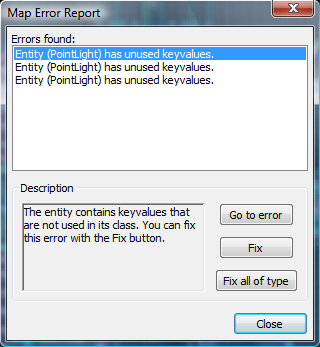
- Errors found
The list of errors found in the map.
- Description
Detailed description of the currently selected error.
- Go to error
Centers the selected error in the views.
- Fix
Fixes the selected error.
- Fix all of type
Fixes all errors of the same type as the selected error.